
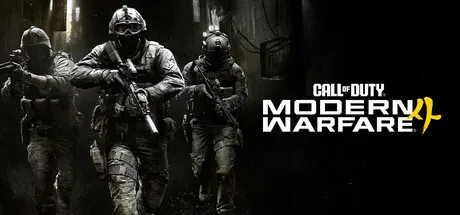
Call of Duty: Modern Warfare 4 is fully cross-platform across all four of its launch systems: PlayStation 5, Xbox Series X|S, PC, and the Nintendo Switch 2. The Switch 2 version is the first Call of Duty on a Nintendo console in more than a decade, per Activision’s announcement blog. Crossplay is on by default, and cross-progression follows your Activision account, so rank, weapons, camos, and Battle Pass progress all travel with you. The only things that stay locked to one store are Call of Duty Points and real-money bundles.
How crossplay works in Modern Warfare 4
Crossplay means you and your friends can squad up regardless of which system each of you plays on. Activision’s official Modern Warfare 4 announcement confirms the game launches on PS5, Xbox Series X|S, PC, and Nintendo Switch 2 on October 23, 2026, and that it picks up the unified matchmaking system the series has run since 2019’s Modern Warfare. You can opt out of crossplay in the settings if you want to limit matches to your own platform, but most players leave it on so lobbies fill faster.
How cross-progression works
Cross-progression is the part that actually moves your unlocks between systems. Activision’s Crossplay and Cross-Progression support article (still the canonical reference for the MW4 system) lays out the rules:
- Game progress, rank, weapons, camos, and Operators all save to your Activision account, so anything you unlock on PS5 shows up on Switch 2 the next time you log in there.
- Battle Pass progress and unlock tiers also follow your Activision ID, so buying the pass on one platform and playing on another does not waste a tier.
- Call of Duty Points and real-money purchases stay on the platform where you bought them. COD Points earned through the Battle Pass can only be spent on the platform where you were playing when you unlocked that tier. Items bought with COD Points can be used across all linked platforms.
The one big catch: progress is tied to a single Activision account, not to your platform ID, so the linking step matters.
What carries over vs. what stays on a platform
| Content type | Carries across platforms? |
|---|---|
| Player rank, Military Rank, Prestige | Yes (Activision account) |
| Unlocked weapons, attachments, camos | Yes (Activision account) |
| Operators and Operator skins | Yes (Activision account) |
| Battle Pass tier progress | Yes (Activision account) |
| Items bought with COD Points | Yes (use anywhere) |
| COD Points purchased with real money | No (locked to platform of purchase) |
| COD Points earned via Battle Pass | No (locked to platform where you unlocked the tier) |
| Platform-exclusive store items | No (tied to that storefront) |
If you mostly care about not losing your unlock grind, the only thing that matters is signing in with the same Activision account on every system.
How to link your Activision ID to each platform
The link step is the same on every console and on PC, and you can do it once on the web before launch so your unlocks show up on day one. One Activision account can hold exactly one linked account per platform provider (one PSN, one Xbox, one Nintendo, one Battle.net/Steam), and Activision’s profile management page caps unlink-and-relink at roughly once per 12 months, so get it right the first time.
- Go to the Activision account login page in a browser and sign in (or create a free Activision ID with a long-lived email).
- Open your profile and find Linked Accounts.
- Choose the platform you want to add (PlayStation, Xbox, Nintendo, Steam, or Battle.net) and sign in with that platform’s credentials when prompted.
- Confirm the link via the email Activision sends.
- Repeat for every platform you plan to play on.
- When Modern Warfare 4 launches, sign in to the game on each system with the same Activision ID and your progression will sync.
If you already played Modern Warfare II, Modern Warfare III, Black Ops 6, or Black Ops 7, your existing Activision ID is the one to use. The unlocks from those games are already waiting there.
Switch 2 specifics: the new piece
The Switch 2 version is the wrinkle that does not exist in the existing support docs. Activision is publishing a Switch 2 build of Modern Warfare 4 developed with Digital Legends, and it brings Call of Duty back to a Nintendo platform for the first time in more than a decade. The pre-order blog says Switch 2 pre-orders open later this year, after PS5, Xbox, and PC pre-orders went live on May 28, 2026. When the Switch 2 store page goes up, the linking step is the same as the others: link your Nintendo Account inside the Activision profile page, then sign in to the Switch 2 game with that Activision ID. Progression from PS5, Xbox, or PC will be waiting there.
Input matchmaking and turning crossplay off
Call of Duty has toggled input-based matchmaking on and off across recent entries. 2019’s Modern Warfare matched players with the same input by default, per Windows Central, while Modern Warfare II (2022) dropped it. Activision has not published a Modern Warfare 4 input-matchmaking policy at the time of writing, so assume the same opt-in settings menu as Modern Warfare III: you can turn crossplay off entirely, or you can leave it on and accept the mixed-input lobbies. If you are on a controller against mouse and keyboard, the toggle to disable crossplay is in Settings, then Account & Network.
Launch timing for early access
If you pre-order, the rollout is staggered before the October 23 full launch, per Activision’s October 9 DMZ blog and IGN’s launch rollout report:
- October 16: Campaign early access for pre-order players on all four platforms.
- October 20: DMZ early access for pre-order players.
- October 23: Full launch. Multiplayer, Warzone integration, and the rest of the package.
Link your Activision ID before October 16 if you want your launch-day unlocks to count toward your existing profile, not a new one.
Our read
If you and your friends are split across PS5, Xbox, PC, or a Switch 2, there is no technical reason not to squad up at launch: crossplay has been stable in the series for six years, and Activision’s cross-progression system has handled platform swaps since Modern Warfare (2019). The real decision is whether to link every account to one Activision ID now, so the Switch 2 version picks up your existing inventory the day pre-orders open, or to keep a separate Activision account for it. For most players the answer is to link everything. You keep one rank, one camo grind, one Battle Pass to track, and you only give up the ability to spend COD Points across stores. Our take, based on the table above: 5 of the 8 content types carry across platforms. The three that do not are real-money COD Points, Battle Pass-earned COD Points, and platform-exclusive store items, so the only reason to keep a separate account is if you want a clean Switch 2-only grind, which is rare for a launch-day player.
Related reading
- Call of Duty: Modern Warfare 4 Arrives October 23, Including on Switch 2
- Modern Warfare 4’s DMZ Mode Joins Early Access on October 20
- MW4 Pre-Order Guide: Every Edition, Bonus and Crossplay Detail Before Launch
- Every Game Releasing in October 2026: The Complete List
- Which Gaming Platform Should You Buy? Five Questions to Ask First
Correction (October 10, 2026): We originally wrote that 7 of 8 content types carry across platforms and described the Switch 2 return as 'the first Call of Duty on a Nintendo console since the Wii era.' Both were corrected: 5 of 8 content types carry across platforms, and the Switch 2 return is the first Call of Duty on a Nintendo platform in more than a decade, per the Activision blog (which does not specify a Wii-era reference).
Edited by Kerwin Stewart, Editor-in-Chief · How we report


Comments
Loading comments…