
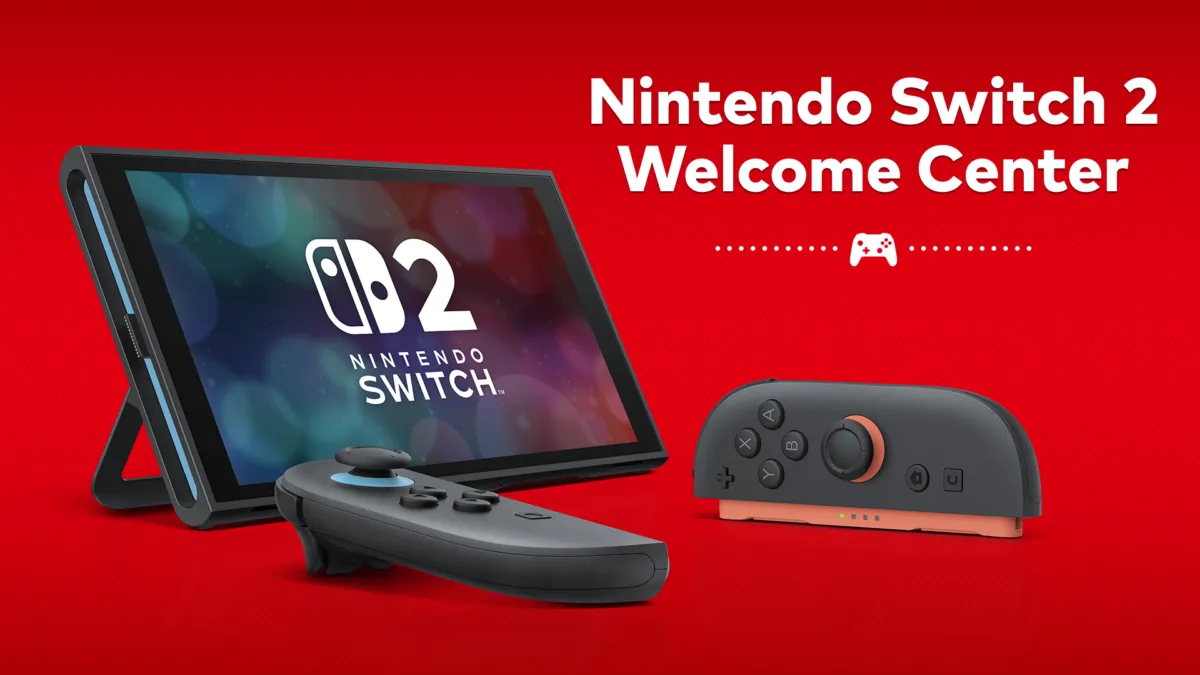
A Nintendo Switch 2 game-key card holds no game data at all. It carries only the key needed to start the game. The first time you put it in a console, the console downloads the game over the internet, and the card goes back in the slot every time you want to play. That is Nintendo’s own definition, and it comes from the game-key card section of the Switch 2 FAQ.
Here is what you are signing up for before you buy one:
- The first launch on any console needs the internet. Nintendo says you connect online and download the game data the first time you launch it on that system.
- You need room for the download, in the console’s internal storage or on a microSD Express card. The size you need is printed on the game-key card packaging.
- The card stays in the console. You insert it every time you play, exactly like a regular game card.
- No Nintendo Account is needed for the download itself.
- Your save belongs to the console, not the card. Nintendo keeps it in the system’s internal storage.
What a game-key card is
Nintendo’s answer is short: a game-key card “does not contain any game data, but only includes the key required to start the game,” and the game data downloads over the internet when you play it for the first time.
That makes it a third kind of Switch 2 purchase, and the mix-up is understandable. A full game card has the game on it. A download-only purchase has no card at all. A game-key card sits in between: you own the box, the box holds the key, and the game itself lands on your console’s storage the first time you run it.
Nintendo’s FAQ doesn’t name the games that ship this way, so the packaging is your tell. The required download size is indicated on the card’s packaging, which is how you spot one in a shop.
Because the card is the thing that starts the game, it is also the thing you need to play. Nintendo’s rule is that the card must be inserted every time, so a lost card stops you starting that game.
What happens the first time you play
Nintendo’s answer to whether you can play on any system you insert the card into is yes, with two conditions: be online, and have enough free space. The download goes to the console’s internal storage or a microSD Express card, and the amount of space required is on the packaging.
Two practical notes. Every console you want to play on repeats that download, because the data lands on that console. And check your free space before you shop: HOME Menu, then System Settings, then Data Management. That is the exact path Nintendo gives.
Does the card have to stay in?
Yes. Nintendo is blunt about it. “Like with regular game cards, you will need to insert the game-key card into the system when you want to play.” Downloading the data does not let you toss the card in a drawer. A second console will not start the game without the card in it too.
Game-key card, virtual game card, online license
A virtual game card is the digital stand-in for a physical card. Nintendo loads it onto a console you have paired, and you can lend it to someone in your Nintendo Account family group. The online license setting is the option in User Settings that lets a digital game run without loading a virtual card at all.
Those two behave differently enough from a game-key card to be worth putting side by side, and all three answers come from the same Nintendo FAQ page:
| Game-key card | Virtual game card | Online license setting | |
|---|---|---|---|
| What it is | A physical card holding only the key | A digital card loaded on a console you pair | The default license for digital purchases |
| Internet needed | For the first download on each console | Not after the card is loaded | Every time you open the game |
| Systems it works on | Any Switch 2 you insert it into | The two systems paired to your Nintendo Account | Three or more systems |
| Lending | Hand the card over | Up to 14 days to a family group member | Not a lending option |
| Who can play | Anyone using that console | All users on that system | Only users linked to the buying Nintendo Account |
| Save data | Stored in the system’s internal storage | Stays on the original system | Stays with the account |
Two things fall out of Nintendo’s own comparison. A virtual game card is the one you can play without an internet connection once it is loaded, and the online license is the one that wants a connection every time. A game-key card needs the internet for the first download on each console, and Nintendo’s FAQ does not repeat that offline promise for it.
We compared the six game-key card answers in Nintendo’s Switch 2 FAQ with the eight virtual game card answers on the same page, and the split is clean. Virtual cards are built around lending a digital license to your family group for up to 14 days. Game-key cards are built around a physical object that has to sit in the slot, and the cost of owning one is the download that follows it to every console it visits.
Should you buy one?
- You mostly play on one console and like owning boxes. A game-key card behaves like a normal purchase: you buy it, you download the game once, and you keep the card in the slot.
- You play on more than one console regularly. Remember that each console downloads the game on its own first launch. A digital copy is the tidier option there.
- You lend games to other people. A virtual game card is the tool built for it, with a 14-day lending window and no card to keep track of.
- Storage is tight on the console. Check Data Management before you buy, because the download is not optional and the packaging tells you the size.
Common questions
Do I need an internet connection to play a game-key card game?
You need one for the first launch on each console, because that is when the data downloads. Nintendo’s FAQ does not say whether you can play offline afterwards. It also does not repeat the offline promise it makes for virtual game cards, which it says can be played without an internet connection once loaded. If offline play matters to you, treat it as unconfirmed.
Do I need a Nintendo Account?
Not for the download. Nintendo’s answer is a flat no. You do need an account for digital purchases and for online features.
Can I play the same card on two consoles at once?
No. The card has to be in the slot to start the game, so while it is in one console it cannot be in another. Nintendo’s rule is about insertion, and physics handles the rest.
Can I use it on the original Nintendo Switch?
Nintendo’s game-key card FAQ covers Nintendo Switch 2 only, and the download target it names is Switch 2 internal storage or a microSD Express card. What Nintendo does say about the older console is that a Nintendo Switch 2 Edition game on a Nintendo Switch “will function as the Nintendo Switch version, so features and enhancements exclusive to the Nintendo Switch 2 Edition will not be available.”
Where does my save data live?
In the system’s internal storage. Nintendo says it is stored there “like with other software,” which means your progress stays with the console rather than the card.
How do I check how much free space I have?
HOME Menu, then System Settings, then Data Management. Nintendo gives that path for both internal storage and a microSD Express card.
Where to go next
- Nintendo Switch 2 – the console’s specs and our Switch 2 coverage in one place
- Pikmin 4 Switch 2 Edition release time and what’s new in the Switch 2 Edition
- Monster Hunter Wilds Switch 2 release time
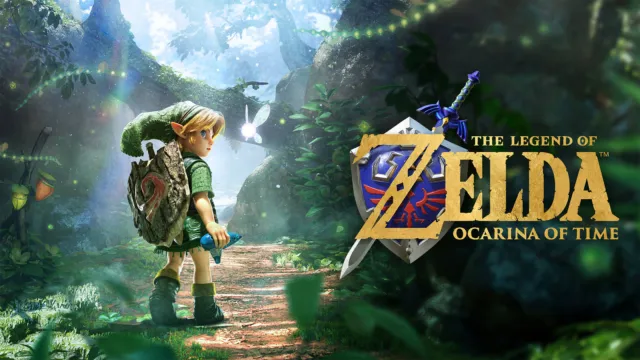
- Zelda: Ocarina of Time Switch 2 pre-order guide – the file size matters more when the game has to be downloaded
- Metaphor: ReFantazio is out on Switch 2 for $39.99
- Every game releasing in November 2026
- The same question for PC players: how Steam Family Sharing works and how Steam refunds work
Edited by Kerwin Stewart, Editor-in-Chief · How we report

Comments
Join the discussion If you own a Switch 2, have you picked up a game-key card yet, and does having to leave the card in the slot put you off physical releases?
Loading comments…