
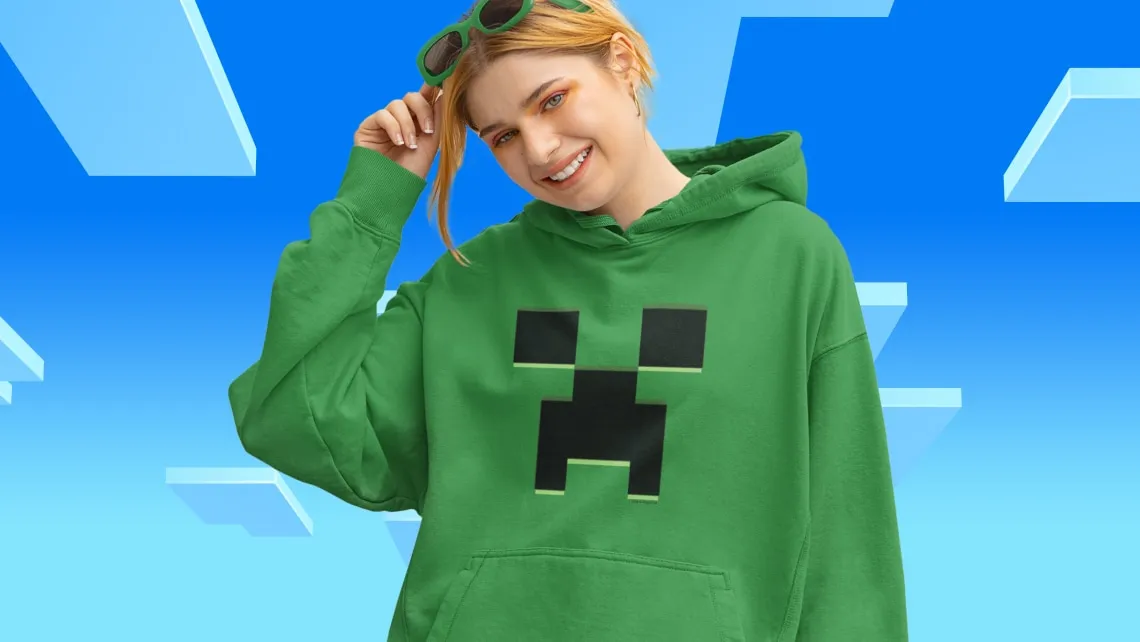
Quick answer: Yes, the native Nintendo Switch 2 edition of Minecraft (launching Tuesday, October 27, 2026) supports cross-platform play with PC, Xbox, PlayStation, and mobile players, per the Nintendo eShop US product page. Crossplay requires a free Microsoft Account, and online multiplayer requires an active Nintendo Switch Online subscription. Cross-progression (your worlds, skins, and Marketplace purchases following you across devices) is built in via the Microsoft Account.
The Switch 2 edition runs the same Bedrock codebase as Xbox, PC, mobile and PlayStation, so crossplay is the default, not an opt-in toggle. The Nintendo eShop page reads, “Have a blast with friends, whether you’re sitting on the same couch in split screen or miles apart in cross-platform play. Connect with millions of players on community servers or join your own private server with up to 10 friends with Realms Plus.” The asterisk at the bottom of the page spells out the two requirements: a Microsoft Account for crossplay and a Nintendo Switch Online membership for online multiplayer.
If you’re a Switch 1 Minecraft player wondering whether to upgrade to the Switch 2 edition for the crossplay picture alone: nothing changes. The Switch 1 edition already supported cross-platform play with the same Microsoft Account and the same Nintendo Switch Online requirement. The Switch 2 upgrade adds Vibrant Visuals and higher resolution/frame rate, not new crossplay.
What “cross-platform” means on Minecraft Switch 2
Minecraft’s cross-platform system on Switch 2 covers four things players regularly mix up:
- Cross-play. You can join the same multiplayer server or Realms as players on Xbox Series X|S, Xbox One, PC (Windows 10/11), PlayStation 4/5, iOS, and Android. The Switch 2 edition joins the same Bedrock session pool, not a Switch-only pool. The Nintendo eShop page describes this as “miles apart in cross-platform play. Connect with millions of players on community servers.”
- Cross-progression. Your worlds, operator skins, and Marketplace purchases follow the Microsoft Account you sign in with, not the device. Start a survival world on Switch 2 in the morning, open it on your Xbox in the evening, and the inventory, achievements, and Realm subscription all carry over. Switch 1 worlds also carry over to the Switch 2 edition (the Nintendo eShop page flags “Carry over data from the Nintendo Switch version”), so existing players don’t lose their saves by upgrading.
- Cross-purchase. Marketplace content bought on one platform is accessible on the others through the same Microsoft Account. The Marketplace Pass subscription (or realms Plus) is account-linked, so a Switch 2 player who pays for Marketplace Pass sees the same monthly drops on PC or Xbox when they sign in.
- Cross-device Realms. Realms Plus, Mojang’s subscription-based private server service, is also Microsoft Account-linked. A Realm you set up on Switch 2 is reachable from any other platform your friends sign in on.
The split-screen multiplayer path is a separate mode entirely. The Switch 2 edition supports local split-screen on a single console (“the same couch in split screen,” per the eShop description), and that local play doesn’t need any online subscription. Vibrant Visuals is disabled in split-screen and on “certain Marketplace Worlds and content,” so the shared-couch look falls back to the older graphics pipeline.
How to turn on cross-platform play on Minecraft Switch 2
The Switch 2 edition runs crossplay the moment you sign in with a Microsoft Account, so the setup is the same as on every other Bedrock platform:
- Sign in with a Microsoft Account. If you already play Minecraft on Xbox or PC with a Microsoft Account, use that same account on Switch 2 and your worlds and Marketplace purchases already sync. If you don’t have one, the game walks you through a free signup in the title screen. The free tier of Microsoft Account is enough for crossplay; you don’t need Game Pass Ultimate or Xbox Game Pass Standard.
- Make sure Nintendo Switch Online is active. Online multiplayer (servers, Realms, friend-list multiplayer) requires an active Nintendo Switch Online membership. Without it, you can still play single-player and local split-screen, but you can’t reach other players. Nintendo Switch Online is sold separately from Minecraft.
- Add friends via their gamertag. Friends on Xbox Live, PlayStation Network, Steam, and mobile Bedrock have a gamertag (a username tied to the Microsoft Account) that you can search for in the Minecraft friends list. Add them by gamertag and they show up in the cross-platform friends list on Switch 2.
- Join a server or Realm. From the Play menu, the Servers tab lists featured community servers and any Realms you own. Joining is the same as on Xbox or PC: select the world or Realm, and the Switch 2 client connects to the same backend as every other Bedrock player.
What does and doesn’t carry over between platforms
| Item | Follows your Microsoft Account across platforms? | Notes |
|---|---|---|
| Single-player worlds (your builds, inventories, achievements) | Yes | Stored on the device until you sync via Microsoft Account, then accessible anywhere. |
| Realms Plus private servers | Yes | The Realm lives in Mojang’s backend, so anyone with access can join from any platform. |
| Marketplace purchases (skin packs, texture packs, worlds) | Yes | Linked to the Microsoft Account. Buy on Switch 2, use on Xbox. |
| Marketplace Pass / Realms Plus subscriptions | Yes | One subscription, all devices on the same Microsoft Account. |
| Cross-game progression (e.g. unlocks from Minecraft Dungeons, Minecraft Legends) | Varies | Some Mojang titles share Marketplace Pass, but in-game unlocks are game-specific. |
| Minecoins bought on Nintendo eShop | No | Minecoins bought on a Nintendo device can only be spent on Nintendo devices, per the Minecraft Switch 2 editions page. |
| Switch 1 worlds on Switch 2 | Yes (single device) | The Nintendo eShop page says Nintendo Switch worlds carry over to the Switch 2 edition. |
| Java Edition worlds | No | Minecraft Switch 2 is the Bedrock codebase, not Java. Java and Bedrock don’t share worlds or servers. |
The Minecoins lock-in is the one rule players regularly miss. The Minecraft Switch 2 editions comparison on Nintendo eShop explicitly notes that Minecoins included with Deluxe or Ultimate Collection, or bought on a Nintendo device, can only be spent on Nintendo systems. If your household uses multiple platforms, plan Minecoin spending around that lock-in rather than assuming the coins move with the rest of your account.
What Minecraft Switch 2 crossplay doesn’t cover
A few things Bedrock crossplay doesn’t solve on day one, all of which the Nintendo eShop page flags:
- Vibrant Visuals is disabled in split-screen. Couch co-op falls back to the older graphics pipeline. If you want the new look, you need to play solo or join a multiplayer session remotely (where each player has Vibrant Visuals on their own screen).
- Some Marketplace content falls back to the standard look. The asterisk on the eShop page says Vibrant Visuals is “not available in some gameplay, including split-screen and when using certain Marketplace Worlds and content.” That means Marketplace drops that aren’t re-shaded for Vibrant Visuals still load with the older lighting/shadows.
- Java Edition players can’t join your server. Java and Bedrock Minecraft use separate codebases and can’t connect to each other. The Switch 2 edition is Bedrock only. Players on Minecraft Java (PC/Mac/Linux) and Bedrock (everywhere else) live in different worlds.
- Crossplay doesn’t unlock new content. You still only have access to whatever’s available on Switch 2. A Bedrock player on Xbox can’t share Marketplace content with you unless you also have it on Switch 2 (with the Microsoft Account syncing purchases).
- Cross-progression doesn’t include a server transfer. If you host a Realm, switching to a different platform doesn’t move the Realm, it stays in Mojang’s backend and is reachable from any device on the same Microsoft Account. But if you’re hosting a self-run third-party server, that’s tied to whoever is paying for the host.
For everything else on the launch (unlock times, the free upgrade from Switch 1 digital, and the Vibrant Visuals graphics overhaul), the Minecraft Switch 2 release time guide and the Minecraft Switch 2 editions comparison have the per-region and pricing details.
FAQ
Is Minecraft cross-platform on Switch 2?
Yes. The native Switch 2 edition of Minecraft supports cross-platform play with Xbox Series X|S, Xbox One, PC (Windows 10/11), PlayStation 4/5, iOS, and Android. The Switch 2 version runs the same Bedrock codebase as every other non-Java platform, so crossplay is the default. Per the Nintendo eShop page, you need a free Microsoft Account and an active Nintendo Switch Online subscription for crossplay to work.
Can Switch 2 Minecraft play with PS5?
Yes. PlayStation 4 and PlayStation 5 both run the Bedrock codebase of Minecraft and join the same multiplayer pool as the Switch 2 edition. Add your PS5 friends by gamertag (their Microsoft Account username) in the Switch 2 friends list, join the same Realm or community server, and you’ll be in the same session. PS5 players also need PlayStation Plus for online multiplayer on the Sony side.
Can Switch 2 Minecraft play with Xbox and PC?
Yes. Xbox Series X|S, Xbox One, and PC (Windows 10/11) are the largest Bedrock pool and they all share sessions with Switch 2. The Microsoft Account sign-in is what ties the crossplay together: it doesn’t matter what platform your friend is on, as long as both of you are signed in to Microsoft Accounts.
Can Switch 2 Minecraft play with mobile?
Yes. iOS and Android Minecraft players join the same Bedrock multiplayer pool as the Switch 2 edition. Mobile players also need a Microsoft Account for crossplay, but no separate subscription beyond the cost of the mobile app.
Does Minecraft Switch 2 support cross-progression?
Yes. Your worlds, operator skins, Marketplace purchases, and Realm subscriptions all follow the Microsoft Account you sign in with. Start a survival world on Switch 2 in the morning and continue on Xbox in the evening without losing anything. Switch 1 worlds also carry over to the Switch 2 edition.
Does Minecraft Switch 2 require a Microsoft Account?
Yes, for cross-platform play and online multiplayer. Single-player and local split-screen work without a Microsoft Account, but you need one to reach other players. The Microsoft Account is free to create.
Do I need Nintendo Switch Online for Minecraft Switch 2 crossplay?
Yes. The Nintendo eShop page flags that “online multiplayer functionality requires a Nintendo Switch Online membership (sold separately).” Without Nintendo Switch Online, you can play single-player and local split-screen, but you can’t join multiplayer sessions or Realms. Nintendo Switch Online starts at $3.99/month for an Individual membership.
Can Java Edition players join a Switch 2 Minecraft server?
No. Minecraft Java Edition (PC/Mac/Linux) and Minecraft Bedrock (Switch, Switch 2, Xbox, PlayStation, PC Windows 10/11, mobile) use separate codebases. A Java player cannot join a Bedrock Realm and vice versa. The Switch 2 edition is Bedrock only, with no Java compatibility.
Do Minecoins transfer between platforms?
No. Minecoins bought on a Nintendo device can only be spent on Nintendo devices, per the Minecraft Switch 2 editions comparison page. The rest of your Microsoft Account (worlds, Marketplace Pass, Realms Plus subscriptions) does follow you across platforms, but Minecoins are locked to the platform of purchase.
What does Minecraft Switch 2 crossplay NOT include?
Vibrant Visuals is disabled in split-screen and on some Marketplace content. Java Edition players can’t join Bedrock sessions. Minecoins bought on Nintendo devices can’t be spent on Xbox/PC/PlayStation. The Switch 2 edition can’t join third-party Bedrock servers hosted for other platforms unless those servers specifically allow Bedrock connections (most do, but a few are Java-only). And cross-progression doesn’t move a self-hosted third-party server with you if you change platforms.
For the launch date, the free Switch 1 digital upgrade offer (through January 31, 2027), and the Vibrant Visuals graphics settings, the Minecraft Switch 2 release time guide and the Minecraft Switch 2 editions compared guide cover the rest.
Minecraft Switch 2 is one of the easiest crossplay answers in modern gaming because the Bedrock codebase has been doing this for years across every non-Java platform. The Switch 2 edition joins that same Bedrock session pool, so crossplay with PS5, Xbox, PC, and mobile is built in rather than added. The two real limitations are the Microsoft Account requirement (free, but easy to skip if you play offline-only) and the Minecoins lock-in to Nintendo devices. The Vibrant Visuals fallback in split-screen and on some Marketplace content is the only meaningful caveat on the Switch 2 itself, and that’s a graphics quirk, not a multiplayer one.
Sources: Nintendo eShop US: Minecraft for Nintendo Switch 2, Nintendo eShop US: Minecraft Switch 2 Editions Compared page, Nintendo Switch Online membership page, Pixel Herald Minecraft Switch 2 release time guide, Pixel Herald Minecraft Switch 2 editions compared guide.
Edited by Kerwin Stewart, Editor-in-Chief · How we report
Comments
Join the discussion Does cross-platform play on Switch 2 make you more likely to upgrade from the Switch 1 edition before the free offer ends January 31, 2027?
Loading comments…