
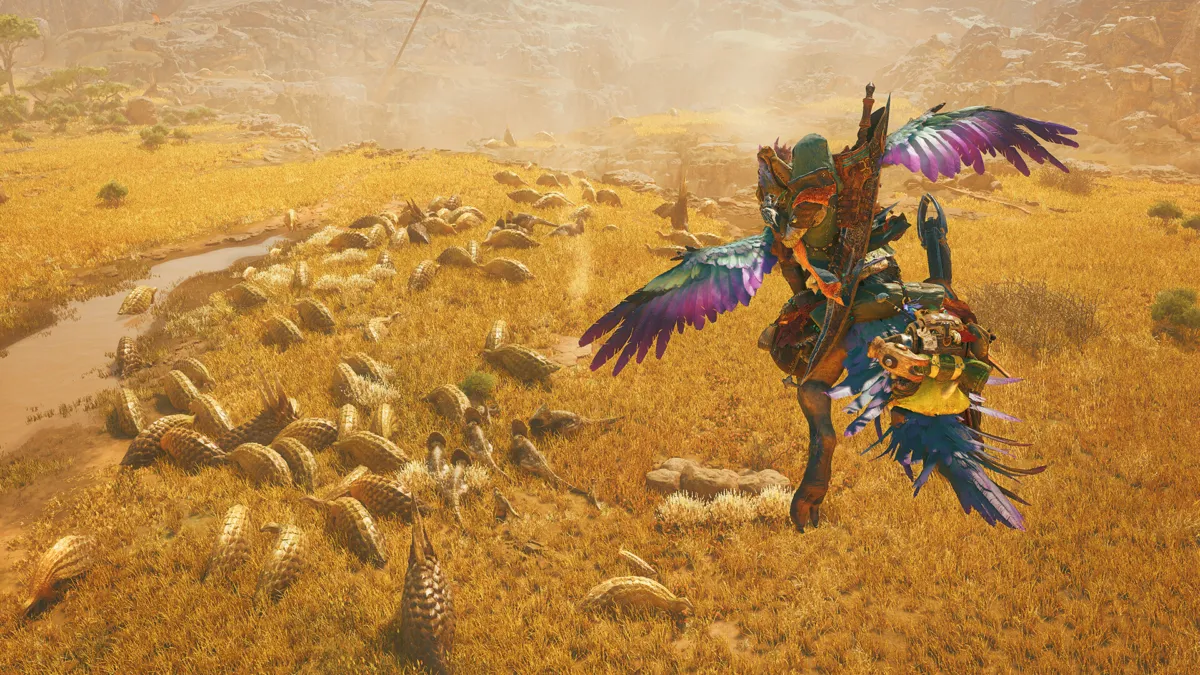
Quick answer
- Storage is 75 GB, and Steam says an SSD is required. The game asks for 16 GB of RAM, Windows 10 or 11 in 64-bit mode, and DirectX 12.
- The minimum graphics card is a GeForce GTX 1660 6 GB or Radeon RX 5500 XT 8 GB. The recommended pair is a GeForce RTX 2060 Super 8 GB or Radeon RX 6600 8 GB.
- Steam Deck: Verified. Valve’s compatibility report says the default controller setup works, the on-screen glyphs match Deck hardware, the text is legible, and the default configuration is performant.
- Verified does not mean 60 FPS. Monster Hunter HQ’s August 2026 test found 26-28 FPS in Windward Plains and 17-19 FPS in its most crowded areas at 1280×800 with the Lowest settings.
Monster Hunter Wilds has demanding PC requirements, but its Steam Deck rating has changed since launch. Capcom optimized the game enough for Valve to mark it Verified, and the PC build now has a clear minimum, recommended tier, and handheld profile.
What are the Monster Hunter Wilds system requirements?
The Steam store page’s specification sheet lists the same processor for both tiers, then raises the graphics target.
| Minimum | Recommended | |
|---|---|---|
| OS | Windows 10 or 11, 64-bit | Windows 10 or 11, 64-bit |
| Processor | Intel Core i5-10400, i3-12100, or AMD Ryzen 5 3600 | Intel Core i5-10400, i3-12100, or AMD Ryzen 5 3600 |
| Memory | 16 GB RAM | 16 GB RAM |
| Graphics | GeForce GTX 1660 6 GB or Radeon RX 5500 XT 8 GB | GeForce RTX 2060 Super 8 GB or Radeon RX 6600 8 GB |
| DirectX | Version 12 | Version 12 |
| Storage | 75 GB, SSD required | 75 GB, SSD required |
| Target | 1080p at 30 FPS, upscaled from 720p, Lowest settings | 1080p at 60 FPS, upscaled, Medium settings and frame generation |
VRAM is the graphics memory used for textures and rendered frames. The minimum GTX 1660 has 6 GB, while the recommended RTX 2060 Super and RX 6600 each carry 8 GB.
The processor line is surprisingly modest beside those graphics cards. The real jump from minimum to recommended is the GPU: a GTX 1660 or RX 5500 XT gives up resolution and frame rate, while the RTX 2060 Super and RX 6600 are the cards Steam pairs with a 1080p frame-generation target.
Is an SSD necessary for Monster Hunter Wilds?
Yes. Unlike many Steam pages that put “SSD recommended” in the fine print, Monster Hunter Wilds marks an SSD as required at both the minimum and recommended tiers. The download needs 75 GB of available space, so a small console drive will need some clearing first.
The game also supports DirectStorage, according to the Steam specification. That improves load and streaming on compatible Windows installations, but it does not remove the 75 GB requirement.
Is Monster Hunter Wilds Steam Deck compatible?
Yes. Valve’s official compatibility report returns Verified for the Steam Deck. It marks the default controller configuration as fully functional, controller glyphs as matching Deck hardware, interface text as legible, and the default configuration as performant.
That is a much better answer than the one available at launch. A Steam Deck HQ review from February 2025 warned readers to use cloud streaming or remote play instead, based on early builds. Capcom’s later optimization and Valve’s Verified rating make that launch verdict stale.
For PC players considering the handheld, our Monster Hunter Wilds game page keeps the current platform list and store links together.
What FPS can Monster Hunter Wilds run on Steam Deck?
The useful answer is around 30 FPS in most situations, not 60. Monster Hunter HQ tested the Verified build on August 23, 2026 at the Deck’s native 1280×800 resolution with Lowest CPU and GPU settings.
| Scene | Monster Hunter HQ result |
|---|---|
| Main menu | 33 FPS |
| Gathering Hub | 22-25 FPS, low of 17 |
| Windward Plains, Areas 5 and 11 | 26-28 FPS |
| Windward Plains, crowded Areas 7 and 8 | 17-19 FPS |
| Scarlet Forest, Area 17 | Average 28 FPS, lows around 24 |
| Dense Scarlet Forest areas | Drops as low as 17 FPS |
| Oilwell Basin | Average 23-25 FPS in the tested areas |
The gaps come from dense foliage, crowds, and weather states. AMD frame generation pushed the test into the 40s in normal play and reached 57 FPS in quiet areas, but the frame rate was not consistently smooth.
What settings should Steam Deck players use?
Monster Hunter HQ’s current settings test recommends a 30 FPS cap and FSR upscaling. It found frame generation introduced noticeable input delay and did not produce a steady 60 FPS, so its advice is to leave that option off.
The settings that made the biggest difference in that test were:
- Frame rate cap: 30 FPS
- Upscaling: AMD FSR, Performance mode
- Frame generation: Off
- Texture quality: Lowest
- Texture filtering: Lowest
- Grass and tree quality: Low
- Shadow quality: Lowest
- Volumetric fog: Lowest
- Ambient occlusion: Off
Monster Hunter HQ reported roughly two hours of play after its battery moved from 79% to 45% during the test. Treat that as a rough guide rather than a promise, since battery age, display brightness, and TDP settings change the result.
What do ProtonDB players report for Monster Hunter Wilds on Linux?
ProtonDB’s summary for app 2246340 places Monster Hunter Wilds in the Gold tier with 1,323 reports and strong confidence. Platinum is the best tier reported, while Gold is the current trending tier.
That is community data, separate from Valve’s Verified rating. The useful distinction is simple: Valve confirms that the Deck can run the game with its default setup, while ProtonDB tracks how the wider Linux community is getting along with it.
Can Monster Hunter Wilds run on Mac or Linux?
Not natively. Steam lists Windows as the only supported operating system for the PC build, so there is no native Mac or Linux package. Linux players use Proton through Steam, which is why ProtonDB has more than 1,300 reports for the game.
The Nintendo Switch 2 version is a separate release scheduled for December 4, 2026. Our Switch 2 release-date guide covers that launch, and the free Prologue Demo gives handheld players a way to check the new port before buying it.
We compared Valve’s compatibility report with Monster Hunter HQ’s August 23, 2026 Deck tests on October 25, 2026. Valve calls the default setup performant, but the measured result was 26-28 FPS in Windward Plains and 17-19 FPS in the most crowded areas. For example, frame generation reached 57 FPS only in quiet spaces, while the recommended settings hold a 30 FPS target. A Verified badge tells you that the default configuration works without major tinkering. It does not turn the Deck into a 60 FPS machine. The practical split is clear: desktop players should use the RTX 2060 Super or RX 6600 for Steam’s 1080p target, while Deck owners should lower textures and shadows, cap the game at 30 FPS, and expect the lowest frame rate in busy hunting grounds.
The Monster Hunter Wilds game page keeps the platform links together, while the Release Calendar tracks the Switch 2 launch date and the rest of December’s releases. For the first-session path, see our Monster Hunter Wilds beginner guide.
Edited by Kerwin Stewart, Editor-in-Chief · How we report



Comments
Join the discussion Would you buy the PC version for a 30 FPS handheld hunt, or wait for a more powerful handheld?
Loading comments…