
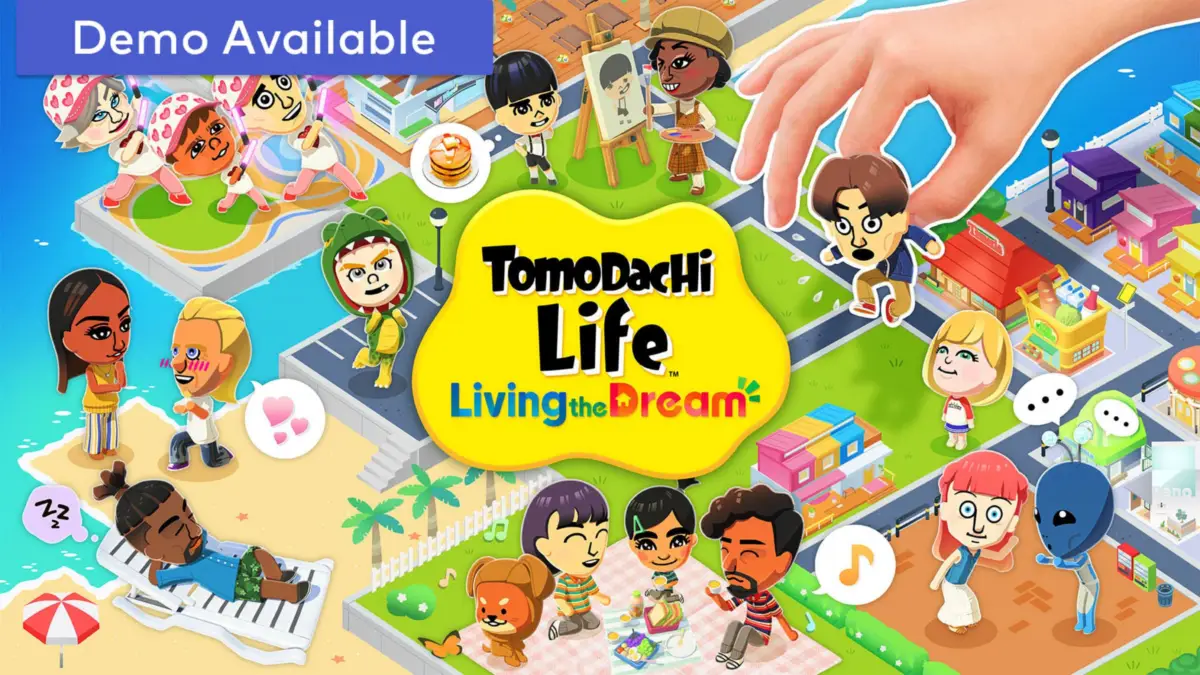
Nintendo has released four updates for Tomodachi Life: Living the Dream, and the latest is Ver. 1.0.4, released July 22, 2026, according to Nintendo’s Americas support page. Every one of them is a fix patch. They repair save errors, progression blockers, crashes and display bugs, and none adds new content. Here is what each version changed, what it means for your island, and how to make sure you have it.
Update history at a glance
| Version | Release date | Main fixes |
|---|---|---|
| 1.0.1 | April 22 | General gameplay fixes (not itemized) |
| 1.0.2 | May 14 | Progression blockers, save errors, Wishing Fountain, Mii relationships and Sadness, local play, sugar glider image |
| 1.0.3 | June 25 | Progression, money display, crashes, relationship day counts, camera, outfits, lingo, new local play rule |
| 1.0.4 | July 22 | Island Builder save corruption, a crash after resolving concerns, poster bugs |
Updates are cumulative. Installing the newest version gives you every earlier fix, so you never need to step through them in order.
Version 1.0.4 (July 22)
This is the one to have if you use Island Builder. Nintendo’s notes list:
- Island Builder save corruption: on rare occasions, using Island Builder corrupted the save data, and the game would not start in later sessions.
- A crash after resolving concerns: the game could fail to progress after you solved a Mii’s concern, then hit an error and close.
- Clothing shop posters: Miis shown on posters at the clothing shop did not display correctly.
- Ferris wheel and news station posters: the Miis picked for these posters were chosen unevenly.
- Other unspecified fixes.
A stuck Mii is an annoyance. A game that will not boot costs you everything you have built, so install 1.0.4 before your next long Island Builder session.
Version 1.0.3 (June 25, 2026)
The longest list so far:
- Ferris wheel progression block: visiting a Mii from the Mii List at the same moment it entered or left the Ferris wheel could stop the game from progressing.
- Money display: on rare occasions, receiving money left your total displaying wrongly, which also blocked progression.
- Satisfaction crash: raising a Mii’s satisfaction level over and over could rarely cause an error that closed the game.
- Relationship day counts: the number of days since two Miis became sweethearts or got married could show incorrectly.
- Head rub camera: the camera zoomed in too far when you gave a Mii a head rub.
- Missing objects: some objects sometimes did not display in Mii News or the photo studio.
- Outfits: a Mii could own every piece of an outfit, but the game did not treat it as owning that outfit.
- Lingo: words you taught a Mii were sometimes not spoken in full.
It also brings the only rule change so far. Miis and other creations can no longer be sent through local play if the island name or player name contains numbers or text subject to display restrictions. If a local send fails, check those two names, not the Mii’s name.
Version 1.0.2 (May 14, 2026)
The first update with a detailed list, mostly aimed at blockers and save errors:
- Progression after building up the island: the game sometimes could not move forward after you developed your island.
- Palette House exteriors: changing a house’s exterior at the Palette House could block progression.
- Save errors after a confession: after a Mii confessed successfully, saving could show a “save data is corrupted” message and fail.
- Save errors after moving in: once several Miis started living together, saving could fail with a corrupted data message.
- Scene switch crash: an error rarely stopped the game when a scene changed.
- Wishing Fountain: you could store the fountain with Island Builder but not place it again, and wishes could not be granted.
- Lost crushes: a Mii that failed to make up after a fight could lose its crush on a different Mii.
- Sadness: a Mii did not cheer up even after its Sadness ran out.
- Local play: sending and receiving through local play did not work.
- Sugar glider image: the treasure called “sugar glider” was showing a picture of a southern flying squirrel. Nintendo swapped in the correct image.
Version 1.0.1 (April 22, 2026)
Nintendo’s notes say only that several issues were addressed to improve the gameplay experience. There is nothing specific to check for, and any later version includes it.
Did any update add new features?
No. Nintendo’s notes for 1.0.1 through 1.0.4 list fixes only: no new locations, activities or a higher resident limit. The 1.0.3 local play rule is a restriction, not a feature. If a content update arrives, Nintendo will list it in the same update history with its own notes.
How to update Tomodachi Life: Living the Dream
With Software Auto-Updates turned on and the console online, the game updates by itself. To check by hand on Switch or Switch 2:
- Connect the console to the internet.
- On the HOME Menu, highlight Tomodachi Life: Living the Dream. Don’t open it.
- Press the + or – button.
- Choose Software Update, then Via the Internet.
- Let the download finish, then start the game.
The option sits on the HOME Menu, not inside the game, so close the game first if it is running. The version number shows on the title screen after the update. If it reads 1.0.4 or higher, you have every fix above.
Is there a maintenance schedule?
No. Tomodachi Life is not a live-service game, and Nintendo’s support page announces no maintenance windows or future update dates. It lists only updates already released. So far patches have arrived three to six weeks apart, though none has come since July 22. Compare that with an online game like Final Fantasy XIV, which runs scheduled downtime.
Nintendo publishes the update page separately for each region. This guide uses the Americas page. Release dates can differ by region, but the version number on your title screen is what to match.
What the fixes mean for your island
- Casual players: turn on Software Auto-Updates and you’re covered.
- Island Builder fans: confirm you’re on 1.0.4. The save corruption fix is the one with real consequences.
- Stuck on an event or relationship: blockers were fixed in 1.0.2, 1.0.3 and 1.0.4. Update first, then see whether the event triggers.
- Local play with friends: if sends fail, remove numbers or restricted words from your island name or player name.
For another recent patch breakdown, see our Deadlock update coverage. If your family shares a Switch, our Nintendo Switch Online tiers comparison covers the family plan.
FAQ
What is the latest Tomodachi Life update?
Ver. 1.0.4, released in July. It fixes rare Island Builder save corruption, a crash after resolving a Mii’s concerns, and poster display bugs.
Do I need to install every update in order?
No. Updates are cumulative, so the newest version includes every earlier fix.
Will I lose my save if I don’t update?
Nintendo describes the Island Builder corruption as rare and doesn’t say how many players it hit. Installing 1.0.4 is the simple way to rule it out.
Why can’t I send Miis over local play?
Since 1.0.3, sends are blocked when the island name or player name contains numbers or restricted text. Change those names and try again.
Edited by Kerwin Stewart, Editor-in-Chief · How we report


Comments
Join the discussion Which Tomodachi Life bug hit your island before the patches, and is anything still broken for you?
Loading comments…