
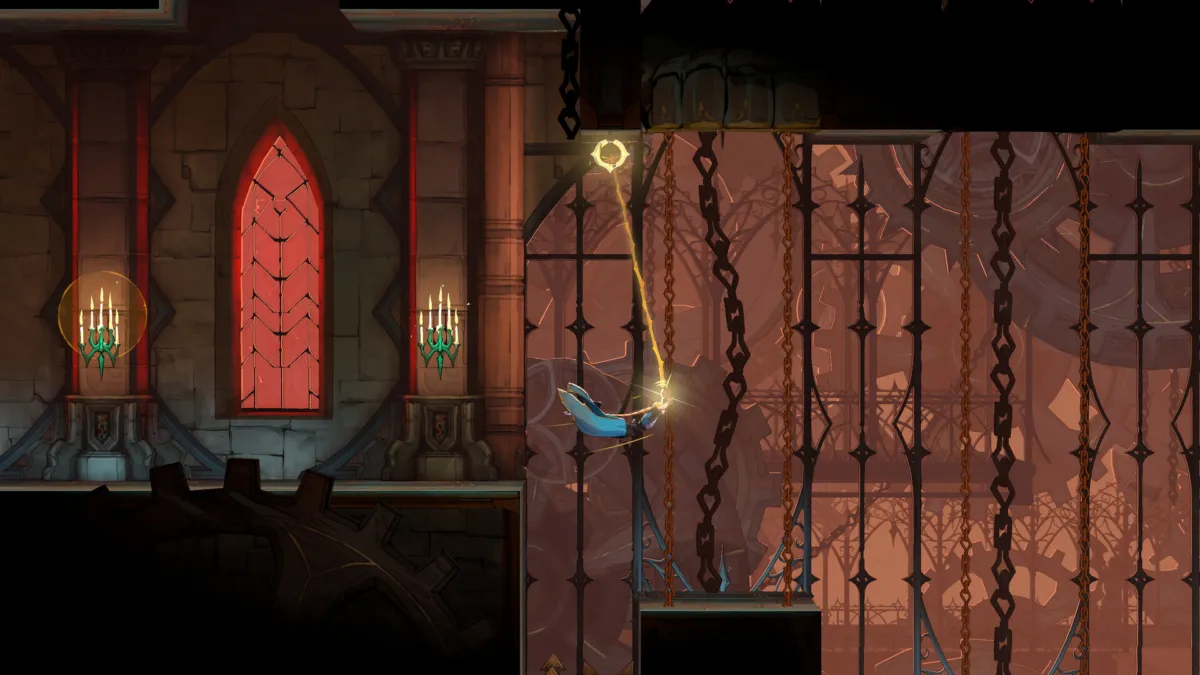
Castlevania: Belmont’s Curse is built for current-gen PC hardware, and the official Steam store page is the first place the system requirements are listed. Here is what the page says, plus what it leaves out.
Quick answer:
- OS: Windows 11 (not Windows 10).
- CPU: Intel Core i5-8400 minimum, i5-10400 recommended.
- GPU: NVIDIA GeForce GTX 1650 minimum, RTX 3060 recommended.
- Storage: 10 GB available space, identical for minimum and recommended.
- RAM: 16 GB for both tiers.
- Launch: Wednesday, October 15, 2026 worldwide (see our release time post). The Steam store currently lists October 14 as its “coming soon” date, but every official schedule points to October 15 as the unlock day.
PC system requirements
The requirements come straight from the Castlevania: Belmont’s Curse Steam page (Steam appid 4231820, Konami / Evil Empire).
| Component | Minimum | Recommended |
|---|---|---|
| OS | Windows 11 (64-bit) | Windows 11 (64-bit) |
| Processor | Intel Core i5-8400 | Intel Core i5-10400 |
| Memory | 16 GB RAM | 16 GB RAM |
| Graphics | NVIDIA GeForce GTX 1650 | NVIDIA GeForce RTX 3060 |
| DirectX | Version 11 | Version 11 |
| Storage | 10 GB available | 10 GB available |
A few things stand out. The OS is Windows 11 only . there is no Windows 10 fallback listed. If you’re still on Windows 10, you’ll need to either upgrade or play on console. The RAM floor is 16 GB, which is two tiers above what most Castlevania games have asked for in the past, and matches the Modern Warfare 4 recommended spec rather than the typical 2D action game. The 10 GB install is small by 2026 standards, on par with a Castlevania Advance Collection rather than the 50-100 GB an AAA game would ask for.
File size and disk space
The Steam page lists the same 10 GB for minimum and recommended. There’s no mention of a day-one patch or a separate texture pack, and the developer is Evil Empire . the studio that’s been running Dead Cells’ post-launch support . so a single, clean installation is what you should expect.
If you’re on a Steam Deck or a tight SSD, 10 GB is small enough that you can install it the morning of launch without clearing anything else. If you’re on a mechanical hard drive, the size is small enough that loading times won’t be a problem either.
Steam Deck and ProtonDB status
Valve has not yet rated Castlevania: Belmont’s Curse on the Deck. The store’s compatibility field is blank, and ProtonDB has no reports because the game has not unlocked. Evil Empire’s own track record on Linux is a reasonable signal. Dead Cells runs on Proton at Platinum tier, and Belmont’s Curse is a smaller 2D action game built on a similar toolchain. Expect Verified or at least Playable on Deck once the embargo lifts, but plan for first-day tweaks if you want a clean Verified badge.
For a Windows handheld like the ASUS ROG Ally or Lenovo Legion Go, the recommended spec is the safe bet. A ROG Ally Z1 Extreme will clear the GTX 1650 floor in most games and sit closer to the recommended RTX 3060 tier in lighter 2D titles.
Crossplay and online
There is no online mode. Castlevania: Belmont’s Curse is a single-player 2D action platformer, so there’s no crossplay and no cross-progression to worry about. You can play it offline the entire way through, and there’s no Activision-style account-linking dance either.
If you’re looking for a co-op Castlevania experience, the series hasn’t shipped one. Dead Cells, the studio’s most famous work, is single-player too.
Game Pass and PS Plus
Not on Game Pass. Konami hasn’t put the title in Microsoft’s subscription library, and the launch window (October 15, 2026) doesn’t line up with the Game Pass October rotation. There’s no Activision-style “available on day one with Game Pass Ultimate” deal here.
Not on PS Plus. Sony’s Extra/Premium tiers don’t list the game, and Konami’s recent PlayStation releases have stayed off the service at launch.
If you want to play it on day one, you need to buy it. The editions and prices are covered in our Castlevania: Belmont’s Curse editions guide. The short version is Standard at $29.99 and a Midnight Edition with extra cosmetics and the soundtrack for a bit more, both available physically and digitally.
Is your PC ready?
- You have a GTX 1650 / RX 580 / Arc A380 and 16 GB of RAM: you’re at the minimum spec. Expect 1080p / 30 fps with a mix of medium settings, and a smooth experience on the game’s native resolution.
- You have an RTX 3060 / RX 6600 XT and 16 GB of RAM: you’re at the recommended spec. Expect 1080p / 60 fps on high settings with headroom for the RTX 3060’s stronger ray tracing cores if the developer enables them in a patch.
- You’re on integrated graphics (Intel UHD, AMD Vega iGPU): you’ll need to drop resolution and detail to 720p / low to get a stable framerate. This is a 2D game, so it can scale down where AAA 3D games can’t, but the i5-8400 CPU floor still applies.
- You’re on Windows 10: the Steam page lists Windows 11 only. Some Windows 10 machines will run the game fine in practice . Evil Empire’s other games are forgiving . but the official line is Windows 11. Don’t expect official support if you hit a Windows 10-specific issue.
- You’re on a Steam Deck or Linux: wait for a Verified badge and a few ProtonDB reports before pulling the trigger. Most Evil Empire titles run well, but the Steam page hasn’t been reviewed yet.
What to do before launch
- Pre-load opens roughly 48 hours before launch on console and PC. The standard pattern is midday Monday, October 13. The 10 GB install size is small on a Steam Deck, a Series S, or a PS5 SSD; you’ll be ready to play the moment the game unlocks.
- Link your Konami ID if you’ve played Dead Cells on the same PC. Evil Empire has used Konami’s account system for cross-save parity in their previous game, and there’s a small chance a linked account carries a free cosmetic at launch.
- Free up 10 GB on the drive you’ll install to. Easy on PC, but if you’re on a base PS5 with a small SSD or a 64 GB Switch 2, you may need to move something else out.
- Update GPU drivers the night before. NVIDIA’s Game Ready and AMD’s Adrenalin drivers tend to ship day-one profiles for major launches, and a 2D Castlevania game is exactly the kind of release where a clean driver install prevents a first-day crash.
- Check the Castlevania: Belmont’s Curse release time post for the exact unlock hour in your time zone, and the Release Calendar for everything else launching that week.
The big picture: this is the most accessible Castlevania PC port in years. Windows 11 + 16 GB of RAM is a step above what 2D Castlevania games have asked for historically, but 10 GB and a 6-year-old GTX 1650 are well within reach of any PC that survived the last hardware generation. If your machine can run Modern Warfare 4 at the minimum spec, it’ll run Belmont’s Curse at the recommended spec.
Our read: who this is for, and what’s unusual about the specs
We compared the Belmont’s Curse specs to the last five 2D Castlevania games on PC and the trend is clear: this is the most demanding Castlevania PC port yet. The Castlevania Anniversary Collection asks for 500 MB of storage and 4 GB of RAM. Dead Cells (Evil Empire’s other active 2D game) lists 4 GB of RAM and 1 GB of storage. Even Castlevania: Dominus Collection, which released in 2024, sits at 1.5 GB of storage. Belmont’s Curse’s 10 GB install and 16 GB RAM requirement is a step change, not an iteration.
That tracks with what the game is doing on screen. Evil Empire has been public about building a 3D-aware 2D engine that uses the extra headroom for larger parallax layers, more on-screen enemies and 60 fps animations, and the recommended spec’s RTX 3060 floor is there because the studio is doing real-time lighting on those parallax layers. The “Windows 11 only” line, unusual for a 2D action game, is likely a sign that Evil Empire is using a DirectX 12 backend (DirectX 11 is the listed minimum, but DX12 is becoming standard).
For PC players with a 5-year-old rig: if you can run Modern Warfare 4 at the minimum spec, Belmont’s Curse will run on your machine at the recommended spec. If you’re on integrated graphics, the game will boot on a low-end laptop, but you’ll need a real GPU for a smooth experience. The 10 GB install is small enough that you don’t need to free up disk space.
For the studio’s reputation, this is the moment. Evil Empire has run Dead Cells’ post-launch support for years, but a brand-new Konami IP is the larger stage. A clean launch on PC, and especially on Steam Deck, would set up the studio’s next Konami project as a confident yes-buy for Castlevania fans.
Edited by Kerwin Stewart, Editor-in-Chief · How we report



Comments
Join the discussion Will you be playing Belmont's Curse on PC or waiting for a Steam Deck Verified rating before pulling the trigger?
Loading comments…