
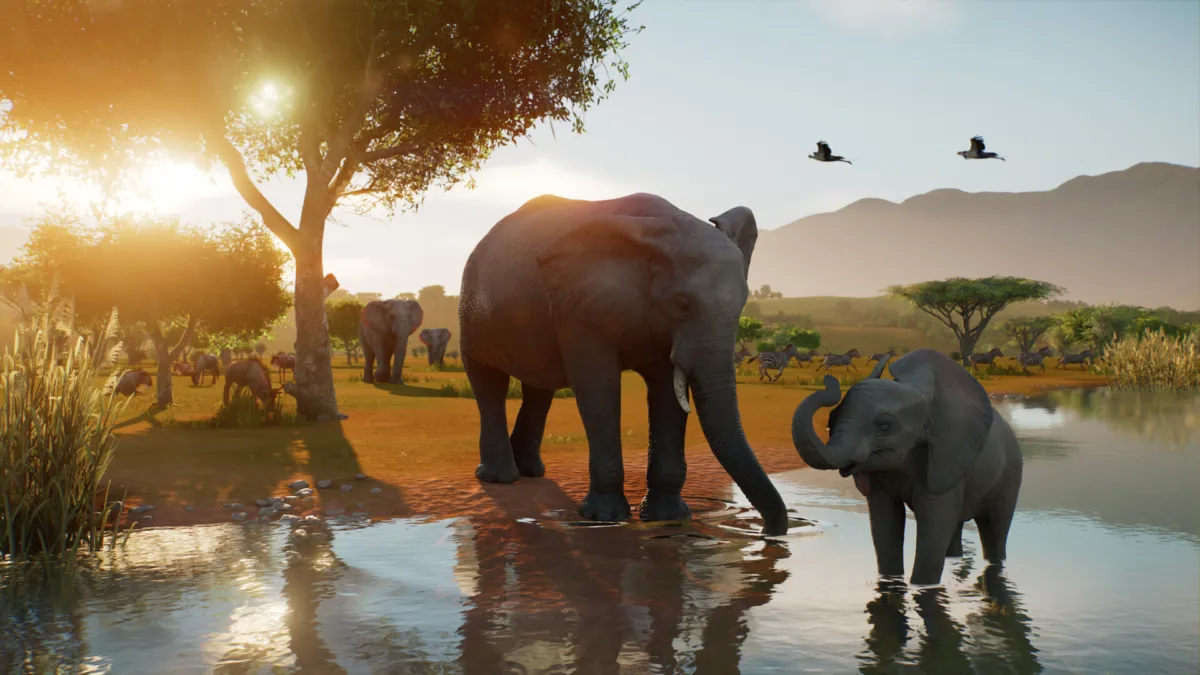
Updated October 17: Four days after launch, Planet Zoo 2’s 1,734-review / 63% Mixed Steam score has settled, with Frontier confirming the first post-launch patch is targeting the most-reported stability and optimization issues. Valve’s Verified Steam Deck rating still holds; ProtonDB player reports have moved to 28 reports, still Gold trending Platinum. The 40 GB install and the RTX 2060 / RTX 3070 spec split are unchanged. The Windows 10 caveat below remains accurate: Frontier “cannot guarantee ongoing compatibility” with Win 10 going forward. “What to do before launch” is now historical and the section below keeps it for readers who land on the page from old links.
Planet Zoo 2 is officially asking for a 6-year-old RTX 2060-class card, 16 GB of RAM, and a 40 GB SSD at minimum, and a 3070-class card or better if you want the experience Frontier built. The game launched worldwide on October 13, 2026 at 3 PM UK (10 AM Eastern, 7 AM Pacific), after preloads opened 24 hours earlier on October 12 (more on timing in our Planet Zoo 2 release-time post). Valve now rates it Verified on Steam Deck (full note below) and ProtonDB players report Gold trending Platinum, so the pre-launch concern about the GPU gap was unfounded for the Deck.
Frontier published these specs on the official Steam store page for Planet Zoo 2 (appid 3219030). Microsoft has ended support for Windows 10, and Frontier’s own fine print says it “cannot guarantee ongoing compatibility” with Win 10 even though the minimum lists it. If you are still on Windows 10, plan to upgrade before long or accept that Frontier may stop testing for it in future patches.
Minimum PC specs
This is what Frontier says you will need just to launch Planet Zoo 2:
| Component | Minimum |
|---|---|
| OS | Windows 10 or 11 (64-bit) |
| CPU | Intel Core i7-8700K or AMD Ryzen 5 3600 |
| RAM | 16 GB |
| GPU | NVIDIA GeForce RTX 2060 (6 GB), AMD Radeon RX 5600 XT (6 GB), or Intel Arc A750 (8 GB) |
| DirectX | Version 12 |
| Storage | 40 GB available |
| Storage type | SSD recommended |
| Shader Model | 6.0 |
The 40 GB figure is a floor, not a target. Frontier’s recommended spec lists the same 40 GB, and that is the installation size at launch. If you are using a mechanical hard drive, expect long load times. If you are tight on space, our October 2026 release list shows what else is competing for those gigabytes in the next two weeks. The CPU and RAM lines are reasonable for any desktop or laptop built in the last five years; the GPU is the real filter.
Recommended PC specs
For the experience Frontier built, the recommended setup is noticeably newer:
| Component | Recommended |
|---|---|
| OS | Windows 11 (64-bit) |
| CPU | Intel Core i7-10700K or AMD Ryzen 7 5800X |
| RAM | 16 GB |
| GPU | NVIDIA GeForce RTX 3070 (8 GB), AMD Radeon RX 6700 XT (12 GB), or Intel Arc A770 (16 GB) |
| DirectX | Version 12 |
| Storage | 40 GB available |
| Storage type | SSD required |
| Shader Model | 6.0 |
The recommended GPU is a meaningful jump. The RTX 2060 in the minimum tier is roughly the same speed as an Xbox Series S GPU and well behind the Series X and PS5; the RTX 3070 lands between the two consoles in raw performance. A 3070 or RX 6700 XT matches Frontier’s recommended tier, the level its zoo detail and animal counts were designed around.
File size and preload
The Steam page lists 40 GB of available space at both tiers, and that is the installation size Frontier has published. The game preloads on October 12 at 3 PM UK (10 AM ET, 7 AM PT, 4 PM CEST, 1 AM AEDT October 13), about 24 hours before the worldwide unlock. Preloading is automatic once you pre-purchase (wishlisting alone does not unlock a preload); if you do not see a preload option, restart Steam and check the Downloads pane.
Free up more than 40 GB if you can. Frontier’s spec is the published minimum, not a guarantee that a 40 GB drive with the OS on it will leave enough headroom for the unpack process and shader cache. An SSD is recommended even on the minimum spec and required on the recommended spec. If your boot drive is a 256 GB SATA SSD, you will want to install Planet Zoo 2 on a separate drive.
Steam Deck: Verified by Valve
Updated October 16: Valve has now rated Planet Zoo 2 Verified on Steam Deck. Its compatibility report says the default controller layout works, on-screen glyphs match the Deck, text is legible and the default settings run well. The one note: first-time setup needs an internet connection. Before launch we expected a weaker rating because the Deck’s GPU sits below Frontier’s RTX 2060 minimum. Valve’s own test says the game runs well at its Deck defaults.
ProtonDB players rate it Gold overall, trending Platinum (23 reports), so most players report it runs well through Proton, with a few tweaks for some.
Controller support and DRM
Two practical notes that do not fit in a spec table:
- Full controller support. Frontier marks Planet Zoo 2 as having full controller support on Steam, which is one of the four criteria Valve checks for a Verified rating. The other three (display, input, system) are usually fine on Deck hardware, but the GPU spec gap is the real blocker.
- Denuvo Anti-tamper. The Steam listing includes Denuvo Anti-tamper, a third-party DRM that historically added a small performance cost and a brief boot delay. Frontier has not said whether Denuvo stays in the final release or only covers the launch window. If your PC is at the minimum spec, Denuvo’s CPU hit may matter; if you are on the recommended spec, you will not notice.
What to do if you’re launching late
If you have an RTX 3070 or RX 6700 XT and a recent 8-core CPU, the game is already out: install through Steam at 40 GB and it will run at recommended settings with no preload needed. Our Planet Zoo 2 release-time post still has the per-timezone unlock table. If your GPU is older than a 2060, set expectations to minimum-spec performance and watch the first Player-Counts post on /player-counts/ for actual Steam Deck usage patterns; Valve’s Verified rating holds for the Deck, but the mixed 63% Steam user reviews (1,734 reviews by day three) suggest performance may dip on lower-spec PC hardware. If your drive is full, clean out 60 GB of space: 40 for the game and 20 for shader cache and OS breathing room.
The spec gap between the RTX 2060 minimum and the RTX 3070 recommended is unusually large for a Frontier sim, and it tells you that Planet Zoo 2 is built for a modern mid-range desktop, not a five-year-old office PC. The studio’s track record on Planet Coaster and Planet Zoo 1 was to add scalability options in early patches, not at launch, so set your expectations on minimum-spec performance accordingly. If you can stretch to the recommended tier or close to it, the game will look and load the way Frontier intended. The 40 GB SSD requirement is the easy part; the GPU is the one that decides whether you are in.
Three days in, Steam’s 63% Mixed (1,734 reviews) is a softer landing than Frontier’s launch normally gets, but Valve’s Verified Deck rating and ProtonDB’s Gold trending Platinum show the game runs at the deck defaults Frontier built. That split – Deck runs well, minimum-spec desktop stumbles – matches the gap between the RTX 2060 minimum and the RTX 3070 recommended.
Editions at a glance
For reference, the version you buy does not change the system requirements. The Deluxe Edition ($64.99 vs $49.99 standard) bundles the base game with the Deluxe Upgrade Pack, which adds 6 extra species and a set of animal signs, plus the launch Bonus Content Pack (a Toucan Eat Shop, 3 unique animal donation bins, and a tiger photo stand-in wall). The Upgrade Pack adds a few hundred megabytes at most, well under the 40 GB headline figure. The release-time post has the full edition table if you are deciding between Standard and Deluxe. For the online feature set, see our Planet Zoo 2 crossplay and multiplayer explainer, which covers Franchise mode, Community Challenge, and the Frontier Workshop.
Update log
Updated October 16: Planet Zoo 2 launched worldwide on October 13 and is now three days in. Steam has 1,734 user reviews at 63% Mixed, a rougher reception than Valve’s Deck Verified rating and ProtonDB’s Gold/Platinum trend would suggest. Frontier has not commented on the post-launch state of Denuvo. The 40 GB install, RTX 2060 / RTX 3070 split, and Windows 10 caveat below are still accurate as published; the section on what to do before launch is now historical.
Edited by Kerwin Stewart, Editor-in-Chief · How we report


Comments
Join the discussion What do you think? Tell us in the comments below.
Loading comments…