
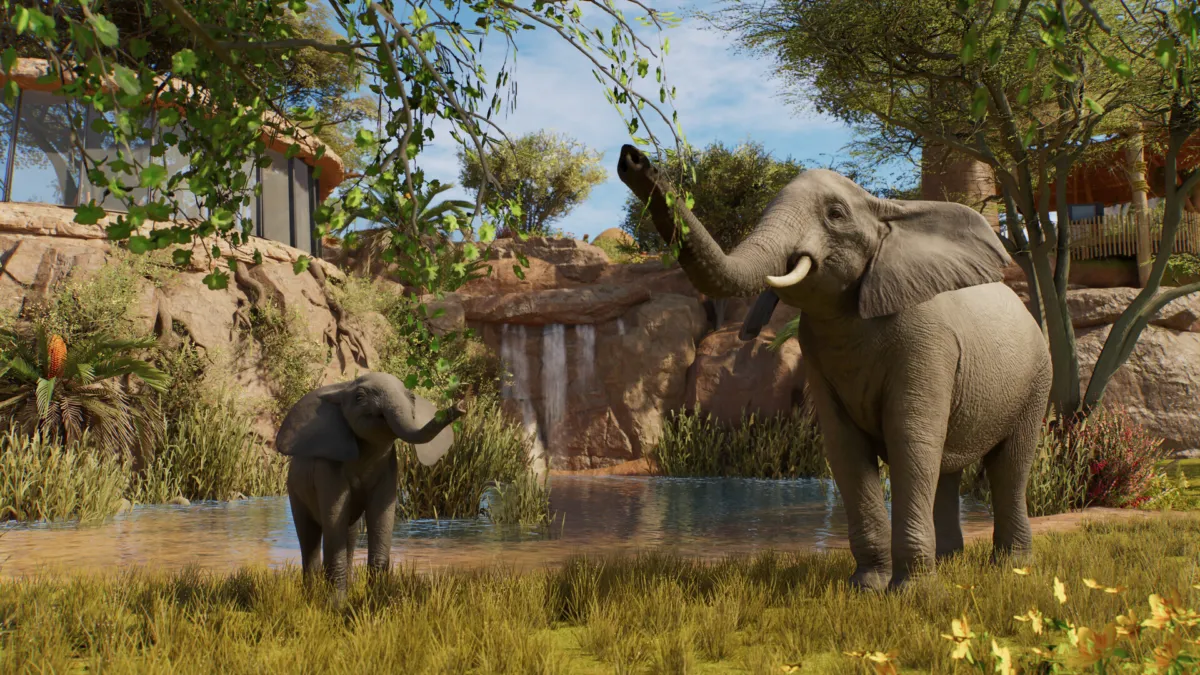
Planet Zoo 2 is a single-player game. There is no co-op zoo building, no shared screen, and no crossplay between PC, PS5, and Xbox Series X|S. But the launch-day build is more online than the Steam categories suggest, with Franchise mode animal trading, a global Community Challenge, and the Frontier Workshop carrying player-made blueprints across platforms. Here is what works online, what does not, and where your saves actually live.
Quick answer
- No co-op or PvP. Steam lists Planet Zoo 2 as a single-player game; there is no shared screen, online co-op, or PvP mode.
- Franchise mode is the online hook. You run your own zoos but trade animals asynchronously with other players in a global network.
- No crossplay between PC, PS5, and Xbox. The platforms are separate, and there is no shared online session.
- Steam Cloud syncs your PC saves across devices. PS5 and Xbox keep their save data on their own platforms.
- The Frontier Workshop blueprints cross platforms. Player-made buildings, habitats, and decorations work across PC, PS5, and Xbox.
- The Community Challenge is a global weekly event. Everyone plays their own game; the community tallies a shared total.
What “single-player” actually means here
Steam tags Planet Zoo 2 as Single-player, Steam Achievements, Full controller support, Steam Cloud, HDR, and Family Sharing. The Multi-player, Co-op, Online Co-op, and Shared/Split Screen tags are all absent. That description is correct for the moment-to-moment gameplay: you build habitats, hire staff, manage guest happiness, and release animals into Wildlife Reserves on your own save. There is no way to drop a friend into your zoo, no Versus mode, and no matchmaking. Frontier Developments built the sequel to be a sandbox you run by yourself, with the older title’s campaign and Sandbox mode carried over essentially unchanged.
If you were hoping to build a zoo with a friend, that mode does not exist. The closest thing is the older Planet Coaster 2’s approach, which is also single-player.
Franchise mode: the asynchronous online hook
The store-page copy is the easy thing to miss. Planet Zoo 2’s detailed description says: “Build a global network of zoos and Wildlife Reserves and trade animals with other players in Franchise mode or enjoy unlimited creativity in Sandbox mode.” Franchise mode is the asynchronous multiplayer layer: you still play solo on your own save, but the game opens a shared network where you can list animals for trade and accept animals from other Franchise mode players. You are not co-building a zoo in real time; you are feeding a global ecosystem of animal genetics, with each Franchise player contributing the species they have bred, released, or imported. If you played the original Planet Zoo’s Franchise mode, the framework is the same, expanded to include the new Wildlife Reserves and Conservation Credits from the sequel.
The matchmaking, market, and animal listings all sit on Frontier’s servers, so Franchise mode is the one place where your game has to be online even if you never trade with another player.
Community Challenge
A second always-online layer is the Community Challenge, described on the official site as a way to “join players from around the world and contribute to the weekly Community Challenge, earning in-game rewards for completing milestones.” Each week, Frontier sets a community-wide goal (release a set number of a particular species into the wild, complete a set of conservation projects, and so on). Every player’s individual progress feeds the community counter, and the moment the total is hit, everyone who participated gets the in-game reward. You can ignore it and play offline, but you would miss the milestone cosmetics and the conservation-themed items tied to each week’s goal.
The Challenge is the answer if you came from a live-service game and want some kind of global shared progress: it is real, it resets weekly, and it is the only place in Planet Zoo 2 where your personal play rolls up into a community number.
Frontier Workshop: cross-platform blueprints
The Frontier Workshop is the in-game mod and blueprint portal, and it is the one truly cross-platform feature in Planet Zoo 2. The official description says you can “freely explore and download player-created blueprints and creations from across platforms and subscribe to your favourites to place them in your zoos.” That works across PC, PS5, and Xbox Series X|S. A habitat you build on PS5 and upload can be downloaded by an Xbox player, and vice versa. The Workshop is not a co-op system; it is a content-sharing layer that travels with your account across hardware, which is a quietly important point if you have ever been frustrated by platform-locked user-generated content in other sims.
This is also where most of the long-tail of Planet Zoo 2 will live. The original Planet Zoo’s Steam Workshop was a major part of the original game’s longevity, and the sequel’s Frontier Workshop is built to do the same across all three launch platforms.
Crossplay and cross-progression by platform
Planet Zoo 2 is on PC (Steam, Windows only), PS5, and Xbox Series X|S. There is no Mac, no Linux, and no Switch 2 version. There is no crossplay between the three platforms for Franchise mode, Community Challenge, or the Workshop. The Workshop is the one place where the platform is invisible, and that is only because the uploads are tied to the Frontier account, not the platform store.
Cross-progression is the question people tend to confuse with crossplay. Cross-progression means your save travels with you across devices; crossplay means you can play with someone on a different platform. Planet Zoo 2 supports a narrow version of cross-progression on PC only: Steam Cloud keeps your save in sync between any PCs you log into through the same Steam account. There is no cross-progression between PC, PS5, and Xbox. There is no Frontier account-level cloud save, so if you start on PS5 and then buy the PC version, you start over.
| Platform | Steam Cloud / cross-device saves | Cross-save with other platforms | Crossplay with other platforms | Franchise mode | Frontier Workshop |
|---|---|---|---|---|---|
| PC (Steam) | Yes (Steam Cloud) | No | No | Yes | Yes |
| PS5 | No (console-only) | No | No | Yes | Yes |
| Xbox Series X|S | No (console-only) | No | No | Yes | Yes |
The headline: if you want one save that follows you across machines, stay on PC. If you want to play with your save on the big screen in the living room and then on the laptop, Steam Cloud handles it. PS5 and Xbox players cannot move their save anywhere else.
Subscriptions: Game Pass and PlayStation Plus
Planet Zoo 2 is not on Xbox Game Pass at launch. The official Frontier announcements and the launch trailer (“OUT NOW on all platforms”) cover the standard store release on PC, PS5, and Xbox, and the Xbox listing on the Microsoft Store is the paid version only. An Xbox Wire search for “Planet Zoo 2” returns no launch-day article, and the most recent Xbox Wire mention of the franchise is a July 2026 Free Play Days event for the original Planet Zoo. There is no signal of a Game Pass day-one deal.
Planet Zoo 2 is not on PlayStation Plus Extra or Premium at launch either. The PS Plus Extra and Premium catalogs do not list Planet Zoo 2 as of October 13, 2026. Sony’s catalog refreshes monthly, so it is possible the game joins the Extra tier in a later cycle, but Frontier has not announced one.
If you are buying it on subscription, your realistic option is to wait for a sale on the store you already use.
What to know if you were hoping for co-op
If the headline “Frontier zoo builder with online features” suggested a co-op game like Planet Coaster’s older community hubs, that is not what Planet Zoo 2 is. The honest summary: solo sandbox + Franchise mode animal trade + weekly Community Challenge + cross-platform Frontier Workshop. If you specifically want to build a zoo with another person in real time, Planet Zoo 2 is not that game today, and Frontier has not announced a co-op mode for the sequel.
If your real ask is “can I still share my blueprints and animals with the community?”, the answer is yes, and the Workshop is the cleanest version of that in any current zoo sim.
By the numbers
A few sourced data points from the launch-day build and the official description:
- Platforms on launch (Oct 13, 2026): 3 — PC (Steam, Windows only), PS5, and Xbox Series X|S. No Mac, no Linux, no Switch 2.
- Steam tags: Single-player, Steam Achievements, Full controller support, Steam Cloud, HDR, Family Sharing. Zero multiplayer or co-op tags.
- Franchise mode: trade animals with other players in a global network (asynchronous, per the Steam detailed description).
- Frontier Workshop: “freely explore and download player-created blueprints and creations from across platforms”. PC, PS5, and Xbox share the same Workshop library.
- Cross-save coverage: 1 of 3 launch platforms (PC only, via Steam Cloud). PS5 and Xbox saves are console-only.
- Subscription shortcuts at launch: 0. Not on Xbox Game Pass and not in the PlayStation Plus Extra or Premium catalog as of October 13, 2026.
Our read
The single-player tag is technically correct, but it undersells what is actually in the box. Franchise mode is a real asynchronous layer, the Community Challenge gives the solo game a shared weekly heartbeat, and the Frontier Workshop blueprints crossing all three platforms is the part of the online feature set that does the most work. Crossplay and cross-save between PC, PS5, and Xbox are not on the menu, and there is no Game Pass or PS Plus shortcut to the game on day one. For a sandbox player, the practical pick is PC if you want your save to follow you, or the platform you already own; for a friend group hoping to co-build a zoo, the honest answer is that this is not that game.
For a deeper look at the launch itself, see our Planet Zoo 2 launch story, the PC specs and Steam Deck verdict, the release time breakdown, the beginner’s guide to building your first zoo, and the game’s Planet Zoo 2 hub page. The full release calendar is at Release Calendar.
Edited by Kerwin Stewart, Editor-in-Chief · How we report

Comments
Join the discussion Would a real-time co-op zoo builder change how often you play Planet Zoo 2, or is solo the right call for this kind of game?
Loading comments…