
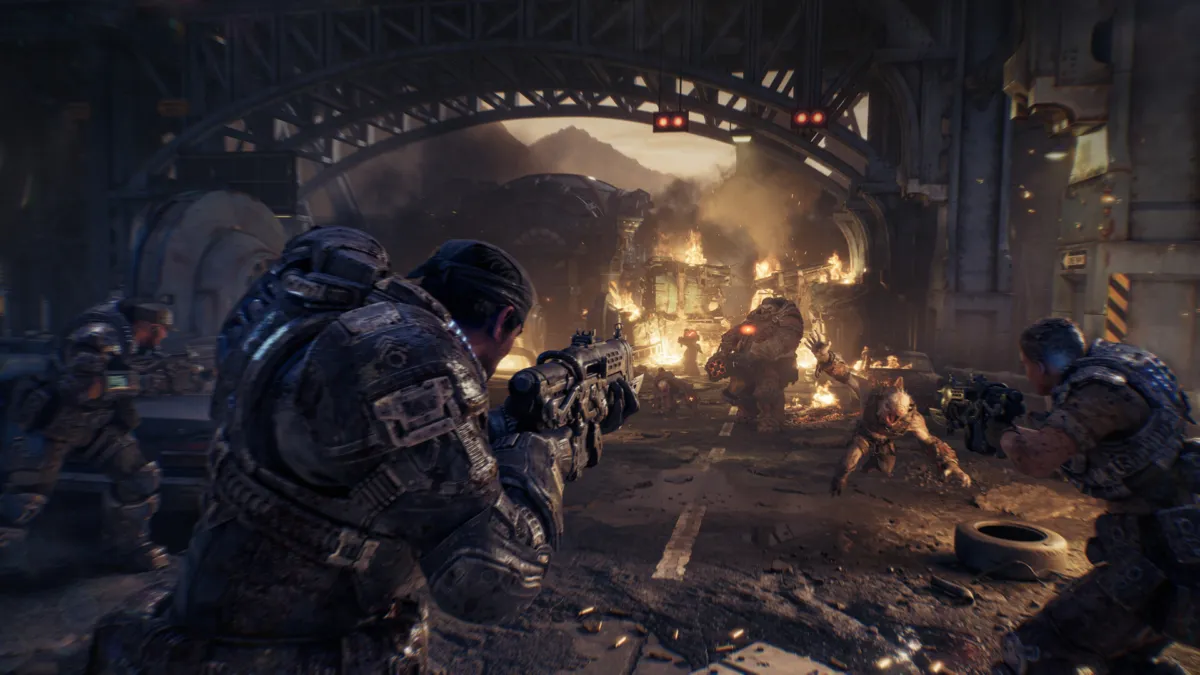
Gears of War: E-Day is fully cross-platform across every storefront it ships on: Xbox Series X|S, Xbox on PC (the Xbox app on Windows), and Steam. The Coalition has cross-platform multiplayer and cross-platform co-op listed as Xbox Store capabilities, and the Xbox Wire gone-gold post from Studio Head Mike Crump confirms the game launches on all three storefronts simultaneously on October 6, 2026. Cross-progression runs through your Xbox or Microsoft account, so once you link it on Steam your chapter unlocks, achievements, multiplayer rank, and purchases follow you.
The cleanest way to think about E-Day’s online features is to keep three things separate. Crossplay decides who can play together in a match. Xbox Play Anywhere decides which Xbox copy you own and what syncs inside the Xbox ecosystem. Cross-progression decides what carries over to Steam once you link your account. The first two are advertised on the official E-Day product page; the third is documented in The Coalition’s Open Beta FAQ, which spells out the Steam account-linking steps that survived into launch.
Crossplay at a glance
| Platform pairing | Crossplay | Source |
|---|---|---|
| Xbox Series X|S ↔ Xbox on PC | Yes | Xbox product page lists Xbox cross-platform multiplayer and co-op |
| Xbox / Xbox PC ↔ Steam | Yes (cross-platform squad invites; full multiplayer pool) | The Coalition Open Beta FAQ and Xbox Wire gone-gold post |
| Steam ↔ Steam | Yes | Steam is an official launch platform |
| PlayStation 5 ↔ Xbox / PC | No native version exists | E-Day is not announced for PS5; see our launch coverage |
| Nintendo Switch 2 ↔ Xbox / PC | No native version exists | No Switch 2 version has been announced |
What Xbox Play Anywhere does (and doesn’t)
Xbox Play Anywhere is the simplest piece of the puzzle. The E-Day product page advertises it on the game’s buy panel: “Buy once, play on XBOX console and PC.” If you buy E-Day digitally from the Xbox Store on console or PC, you own it on both, and your shared progression and achievements sync through your Microsoft account. That means a campaign save started on Xbox Series X picks up on the Xbox app on Windows without any extra step, and Xbox achievements count once across both systems.
What Play Anywhere does not do:
- It does not include Steam. A Steam purchase is a separate transaction, and Steam is not part of the Xbox ownership ecosystem.
- It does not unlock a Steam version of E-Day. Buying on Xbox does not give you the Steam copy.
- It does not replace the need to link an Xbox account if you start on Steam. The link still has to happen, just for a different reason.
How Steam fits in
Steam is officially a launch platform for E-Day, confirmed in the Xbox Wire gone-gold post: “Gears of War: E-Day will be available on XBOX Series X|S, XBOX on PC, Steam, and is available day one with Game Pass Ultimate and PC Game Pass.” Pre-installs began on September 29 at 8 am Pacific (15:00 UTC) for everyone, regardless of storefront, and the early-access window for Premium Edition buyers opened October 1, with the worldwide launch October 6 at the same time.
Steam players do not need an Xbox or Microsoft account to launch and play E-Day on Steam, per The Coalition’s Open Beta FAQ, but linking one unlocks the cross-platform features. The Gearsofwar.com open beta page describes the early access path (“pre-ordered the game across XBOX Series X|S, Steam and/or Game Pass Ultimate or PC Game Pass Members”), and the same FAQ documents the in-game account-linking flow that carries into the live game.
What the link does for Steam players:
- Sends and receives cross-platform squad invites with Xbox players.
- Carries your chapter unlocks, achievements, collectibles, multiplayer rank, and purchases between Xbox and Steam.
- Lets Xbox friends see you online and join your lobby.
What the link does not do for Steam players:
- It does not transfer mid-chapter campaign save slots directly between Xbox and Steam. Chapter unlocks transfer, so you can replay any chapter you’ve finished from the start, but live campaign saves stay on the storefront where they were created (Steam Cloud for Steam, Xbox app cloud for Xbox/PC).
- It does not give you an Xbox copy of the game. Steam ownership is its own transaction.
- It does not let you share a Steam save with an Xbox friend to continue your run together. The campaign save in progress is locked to one ecosystem until you finish or replay the chapter on the other side.
Crossplay by mode
The three main online modes all support cross-platform play, but the way you squad up looks slightly different in each.
Campaign. The E-Day product page describes online co-op for two to four players and lists Xbox cross-platform co-op as a capability. The same page notes that two-player split-screen “is available for console only,” so the couch-coop tradition stays an Xbox-Series-only feature. The four-player online co-op is cross-platform across Xbox, Xbox on PC, and Steam.
Horde Siege. Horde Siege is the headline PvE mode, with up to 12 players spread across three four-player COG squads, and it sits on the same cross-platform multiplayer infrastructure as the rest of the game. Cross-platform squad invites via Xbox account linking are the official path to mixed-platform parties, which is the exact structure Horde Siege uses.
Versus. Versus is the 4v4 competitive mode, with Team Deathmatch, Conquest, Demolition, and Crucible at launch. The Xbox Store’s cross-platform multiplayer listing covers Versus, and the Open Beta operated as a cross-platform multiplayer environment before launch, so the matchmaking pool is one shared pool rather than separate per storefront.
How to link an Xbox account on Steam
The Coalition’s beta instructions give the path; the menu wording is the same in the launch build.
- Launch Gears of War: E-Day on Steam and reach the main menu.
- Open the social pane from the main menu.
- Look in the upper-left corner for the Link Account button.
- Sign in with the Xbox or Microsoft account you want to use for cross-progression.
- Confirm the link in the prompt that follows.
- Invite an Xbox friend to your squad, or accept an invite from one, to confirm the bridge is live.
If a cross-platform invite fails at launch, the usual checklist is: confirm the link is active in the social pane, check that both players are on a current game version, and make sure privacy and online-service status are open on both accounts. Crossplay itself is not the most likely failure point once the link is in place.
Online multiplayer and Game Pass on console
The E-Day product page spells out the console requirement in the fine print: “Online Multiplayer: Online campaign co-op, Horde Siege, Versus and other multiplayer features require a Game Pass subscription that includes online multiplayer, sold separately.” That is the standard Microsoft online-play subscription rule for Xbox Series X|S — you need a Game Pass Core, Standard, Ultimate, or PC Game Pass tier that bundles online play to access any of the multiplayer modes on console. PC and Steam players follow their own storefront rules.
A subscription requirement is not the same as a crossplay restriction. The Game Pass check decides whether your console account can reach the online services; it does not change which platforms can match each other once you are in.
What about PS5 or Switch 2?
The E-Day product page lists only Xbox Series X|S and Windows 10/11, and the Xbox Wire gone-gold post lists Xbox Series X|S, Xbox on PC, and Steam. There is no announced PlayStation 5 or Nintendo Switch 2 version as of the October 6 launch. The “PS5 crossplay” question is therefore the wrong one: there is no native E-Day build on a Sony or Nintendo platform to matchmake into the Xbox/PC pool. The Coalition and Xbox Game Studios have not said E-Day will never come to those platforms, only that they are not part of the launch lineup.
Our read
E-Day is one of the cleanest cross-platform launches on Xbox right now, because the three storefronts all sit inside a single Microsoft identity layer. If you mostly play on console and want to keep the option of moving to a PC later, the Xbox Store / Play Anywhere path is the simplest: one purchase, shared saves between console and Xbox on PC, and your multiplayer progress follows automatically. If you are anchored to Steam for library or workshop reasons, the in-game account link is the bridge: it costs you a minute of setup, and in return your squad invites and most progression cross over.
The one place the system has a rough edge is mid-chapter campaign saves. If you start the campaign on Xbox Series and want to keep the exact save going on Steam, you will need to finish or replay the chapter on the Steam side. For most players that is a small price; for the small group that swaps between a console in the living room and a Steam Deck on the road, it is worth knowing before you commit. Our take: link your Xbox account the first time you launch the game, regardless of which storefront you start on, and the rest of the cross-platform experience matches what the product page advertises.
Related reading
- Gears of War: E-Day Is Out, and It’s Staying Off PS5
- Gears of War: E-Day Beginner’s Guide: Tips, Modes, and What to Know Before You Play
- Gears of War: E-Day Peaks at 31,517 Players on Steam, Triple the Series’ Old Record
- What Gears of War: E-Day’s Sales Numbers Really Say About Game Pass
- Gears of War: E-Day
- Every Game Releasing in October 2026: The Complete List
- Release Calendar
Edited by Kerwin Stewart, Editor-in-Chief · How we report


Comments
Loading comments…